Blog

Changing the world

dhThese notes are about the CMF Developing Health Course 2014.

The focus of today is Community Health. I made notes on the whole course in 2012 – you can read about this day here.

Each day I’m just going to write about things that impacted me, and things I need to read later…

An interesting morning

Ted LankesterTed Lankaster spoke first. Chatting to him at breakfast made me realise that we need to talk to InterHealth about vaccinations, because we leave in about 6 weeks now, and we still haven’t organised ours!

Some cool things he said:

Inverse care law: the availability of good medical care tends to vary inversely with the need for it in the population served. We are seduced by the west, and that leads to a paucity of doctors in the developin world.

One solution is task shifting – ensuring tasks are carried out by the least qualified person able to competently do it: you don’t have your doctor cleaning the bins in the hospital…

He also recommend we read some of the emails sent out by Jeffrey Sachs – who is the head honcho at the UN Sustainable Development agency. I will endeavour to read some, and maybe even blog about it…

Tanzania and change

Next up was a great personal account of living and working in Tanzania, from Irene McClure.

She shared the problems with clean water, where every time it rained the infectious disease goes crazy because of poo in the fields being washed into the water. Stopping the disease is easy with medication, but breaking the cycles of ill health is a whole different story.

Tippy tappies are a simple idea: an empty plastic bottle, hanging by the doorway, to remind people to improve hand hygeine before cooking. It’s an easy placement of reminder and opportunity to change. I wonder what lesson is there for us in something like that?

She recommended we read “Half the sky: how to change the world“, and left us with a final challenge:

Unless a vision is too big to be achieved by man,
its not from God.

If you want to do something and have no power to do it, it is povertyPoverty tutorial

Before lunch, Nick Henwood, led us in a challenging tutorial, about the difficulties of westerners going in and trying to solve everyone’s problems for them, how it feels to be on the “receiving” end of that “aid”.

One of the tutorials involved thinking about myself, looking at areas of myself. Self, spiritual, others, rest of creation. Many of the principles are lifted straight out of a book called “When Helping Hurts“, which I’ve bought Edit: And can HUGELY recommend as a book that anyone passionate about helping the poor in society should read.

For me, the course just, it just confirmed my thoughts about this course: I need to take some time to reflect. I don’t always need to achieve things: I’m using the next two weeks for peace, for reflection, for a deeper emotional learning than simply cramming more medical knowledge into my brain.

One thing Vicky said today was a wonderful mix of Christian and Medical that I love at CMF:

Fortunately prayer has a long halflife

I’m really seeing how the things God has been doing in our lives over the last year (and years) have been layers building up a bigger picture. Presumeably there’s minimal renal excretion of Holy Spirit…

Developing Health… again

CMF LogoTwo years ago, I went on the Christian Medical Fellowship “Developing Health” course. Its a two week, fairly intensive course, covering many topics relating to working in the developing world as a doctor. 

Last time I attended, I approached it firmly from the medical perspective, aiming to learn as much about the clinical challenges that I might face in Africa. I also wrote like 18,300 words on the subject, over 11 blog posts…

The course (and CMF) takes a pretty holistic approach, not just trying to teach us how to sort diseases, but how to solve problems, in culture, in societies; in ourselves. What use is curing HIV, if you aren’t teaching people the value of stable, committed, loving relationships, and the role of sex within that?

I’ve decided to attend it again, before we go to South Africa in August. Katherine has come with me for the first 24 hours too.

I’m not going to blog as extensively this time around. I’ve got some great medical notes from a few years ago, and I will update them as needed, to give me an even more solid understanding of the science. But I’m going to sit back a little more, pray a little more, and focus on learning from others on the best way for me and Katherine to serve in Africa, and to nourish ourselves and our family at the same time.

Day One – Changing The World
Day Two – Good Mental Health
Day Three – Bugs, and passions that won’t let go
Day Four – HIV, Mission and Song
Day Five – Baby, baby (and other paediatrics)
Day Six – Joining bones (and mission partnerships)
Day Seven – The Cutting Edge…
Day Eight – The Ladies are Dying
Day Nine – Ladies, feet washing and goodbye curry
Day Ten – Snakebites and sad goodbyes

Evening Talk

The evening talk was from Kisiizi Hospital legend Ian Spillman. With decades of experience in Uganda he shares such a loving, clinically astute, Christ centred viewpoint on life.

There was lots he said that resonated. I find it annoying how many superfluous blood tests we do in the UK. He shared the story of a child with a Wilm’s tumour of the kidney: the patient was diagnosed, treated and discharged without having their blood electrolytes checked even once. In the UK, it wouldn’t have been surprising to hear over it being checked more than once a day.

Medicine really is crazily simple – it literally all comes down to:

  1. A careful history
  2. Thorough examination
  3. Appropriate investigations

Then you use a synthesis to reach a conclusion. I wonder if we need to try to do the same a little more with our lives:

  1. Reflect on our path: where God has taken us, where we are going.
  2. Examine ourselves: our heart, our passion, our motivations
  3. Appropriately seek guidance from others (and through prayer)

The end of Ian’s talk was a classic ridiculous coincidence that happens all the time in a lively walk with Jesus: it turned out his whole talk was based on a verse in Ephesians 1.

Is that really a coincidence? Well, our church is doing a preaching series on Ephesians all this month. We covered that passage in our cell group this week. Me and Katherine rarely take the time we should to sit down and study together – yet, for the first time in ages, I really felt I wanted to go deeper into it on Thursday night. So we spent half an hour studying Ephesians.

And then Ian just plucks the one passage that really spoke to me.

Just after I prayed last week that God would give me a passage to lean on, to trust in, as we take a trip to Africa.

I pray that the eyes of your heart may be enlightened in order that you may know the hope to which he has called you, the riches of his glorious inheritance in his holy people, and his incomparably great power for us who believe.
Ephesians 1:18-19

I pray, over the next two weeks and beyond, that the eyes of our hearts may be enlightened.

A new land, a strange land: our home.

River Witham (near Boston)This was a reflection on our first year in Boston, Lincolnshire. For some reason, I failed to publish it, back when I wrote it, so its almost a year out of date already!

When we first arrived in Boston, we found ourselves in a wonderfully fresh situation: a new start, a new home, a new career direction, new friends; a new horizon.

Obviously, it was also a little terrifying. Just substituting “new” for “strange” makes that clear: strange home, strange career direction, strange friends; everything that made a feel secure, all the familiarity, gone!

  • We lost our home, that we had lived in for 5 years, to have it replaced with a tatty, abused detached house surrounded with a tangled green jungle.
  • After 8 years doing Medicine in South Yorkshire, I suddenly found myself in a very different patient population, with different services, on a General Practice training course.
  • Whilst many of our friends here are strange (Tammy especially), at first they were strange by the nature of being strangers.

Of course, the strangeness fades fairly quickly. Returning to Sheffield now feels very odd, whereas Boston feels more like home than Yorkshire ever did. Our new life has made us realise that we were unhappy, and a little lonely in Sheffield: we had many friends that we connected with intellectually, but the city never really clicked with us emotionally.

I really believe I can sense God’s hand in the move: I would never have expected us to “up sticks” and disappear off to Lincolnshire. Yet we did, with only 48 hours to make the decision, and it was definitely the right call.

WordCamp Sheffield 2014

If you’ve read my blog in the past, you know that I’m a huge fan of WordPress, and before we moved to Boston, an active member of the Sheffield WordPress User Group.

Today, I’ve attended the UK National WordCamp, which has been hosted by some of my friends from my time at the user group in Sheffield. Myself and my friend Dave drank lots of coffee, jumped in the car with Iron Maiden on the stereo, and popped over for the day.

Wordcamp Sheffield

What on earth are you talking about?

For those of you who don’t know what I’m waffling  about, WordPress is basically software for managing a website, most often for running a blog. It’s open source, free software, which anyone can use with no fees. Unlike many online projects, there is a really active community of people who use it.

There’s also an ethos “Code is Poetry“, which is about an appreciation of the beauty and satisfaction that can come from creating and using good technology. The WordPress team name major releases after jazz musicians, and often release haikus celebrating version updates.

(I actually keep track of all these hiakus on my page “All the WordPress Haikus“…)

So, despite Joen waking me up at 5am, we still left late, and even after we hurriedly dropped off my dog with a friend, and walked/ran down to the Mappin building in Sheffield we were just in time… to completely miss the first talk. However, the second talk was on…

Theme Development Workflow from start to finish
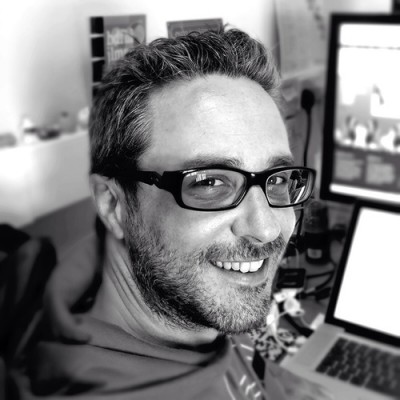
Jonny A photoThis talk was from Wonderflux framework creator Jonny Allbut (on twitter as @jonnyauk). It was a pretty informative talk with lots of interesting points from his personal experience as a professional WP developer of many years.

Key points I took out:

  • I really need to learn how to use Version Control (especially Git).
  • Separating non essential-to-theme items out of the functions.php and putting them as seperate plugins can help with future proofing as well as clarity.

The Challenges of managing a Multi-Author Blog
Samantha DeakinSamantha Deakin (@SamanthaJDeakin) gave us a talk about the challenges and pitfalls of running a multi user blog – the award winning enterprise.shef.ac.uk.

Didn’t write it all down, but some key points were that of encouraging frequent contributions (in their case, by having 7 paid interns!) and developing a culture of regular blogging. Some surprising revelations about authors not being aware that stealing other people’s blog posts from across the internet is not cool…

Wow Plugins

kimbWPSheffield organiser, Make Do operator and generally well dressed and nice smelling. He was talking about his favourite plugins, alongside lots of irritating internetz speekz [sic].

Common plugins:

Contact forms:

  • Gravity forms
  • Contact form 7

eCommerce

  • WooCommerce
  • Many of the others have fallen by the wayside somewhat. WP eCommerce is falling out of date

SEO

  • WP SEO (Yoast)
  • Hypercache

Jetpack is 20 plugins in one. People seem to either love or hate it.

Buddypress is also a very cool plugin – people forget that it is just a plugin because it does so much stuff.

WP Remote allows awesome management of all your different sites, managing updates, users, etc.

Cool other plugins

  • Hammy, is a responsive images plugin that works pretty awesomely.
  • Custom Field Suite – a lightweight custom fields plugins. If you want something that is more than a title and a WYSIWYG edit for a post, then this does the magic all for you. Definitely something I’ve been wanting to look for, rather than writing all the code to set up these things mannually.
  • Spots – a little text editor that can do tiny bits of magic, for updating little snippets across your site.
  • Really Static – generates a whole static site from your blog. Faster than any other cache…! Doesn’t work with things that need AJAX.

Live demo

Kimb demonstrated some plugins live next. Predictably, he immediately broke his site trying to run a Change Table Prefix plugin, but he assured us it usually works really well.IMG_20140426_130352
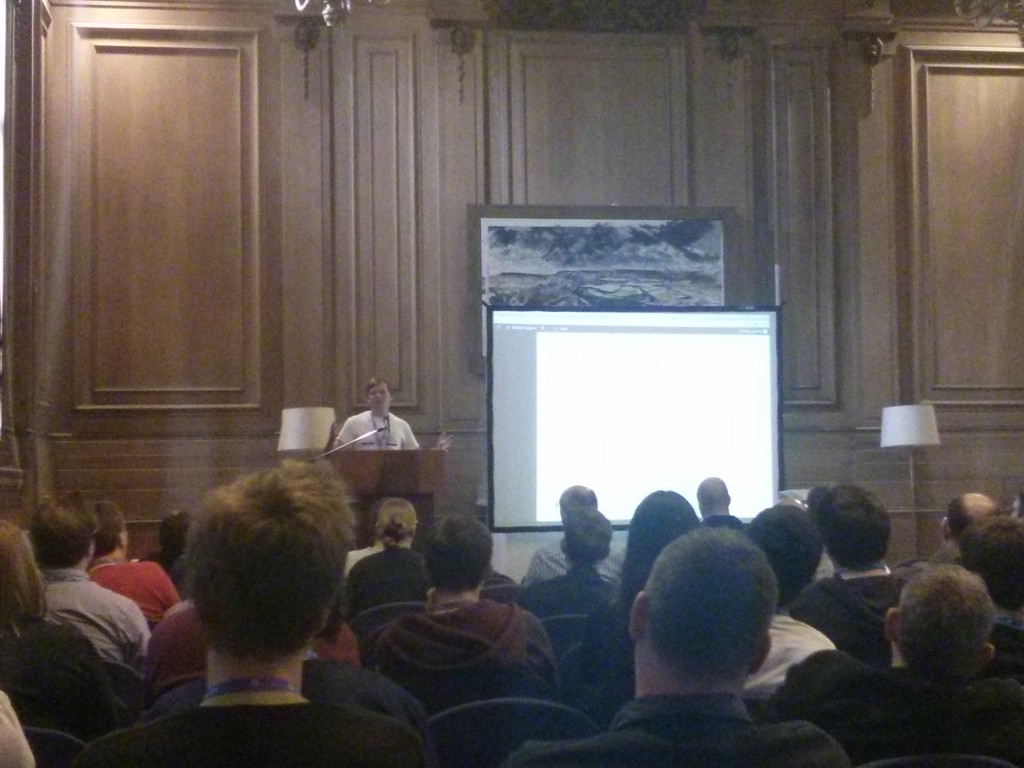
  • Imsanity is a bulk image resizer that works brilliantly, I already use it, but didn’t realise it could reduce jpeg quality settings too, which saves a lot of space..
  • CMS Page Tree View plugin looks like a nice way of making your site pages more navigable in the admin area.
  • TablePress is definitely better than copying and pasting tables directly from word, but still not ideal. The best there is currently though…
  • Ultimate Coming Soon Plugin – creates a holding page that blocks all views from anyone not logged in.

Following  a vast amount of pie and Henderson’s Relish at lunch, and chats with some of the sponsors – pipe (10) – find out more at pipeten.com – it was time for the afternoon sessions. After being told that my live blog has been added to the  I decided to be brave and move into the smaller side stream and catch…

A Simpler WordPress Admin for Clients
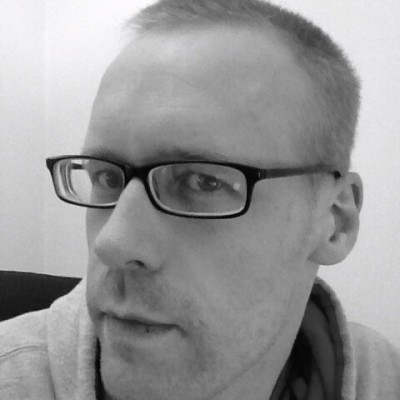
Mark WIlkinson PhotoMark Wilkinson (@wpmark) reveals that there are loads of functions built into WordPress to help tidy up the interface for n00b users.

Step 1: Hiding WordPress Stuff that gets in the way

There are several things that can make WordPress hard work for users. A key way to make things easier is removing unnecessary menu items from the admin menu. For example, removing the “Comments” menu item, or the “Updates” submenu item, or random widgets.

This can be done through the WP core, with tags like remove_submenu_page($menu_slug, $submenu_slug):, and remove_meta_box ($id,$page,$context);.

Step 2: Enhance or improve what WordPress gives you

Mark gives us an example of renaming field titles and changing Meta Boxes to make things more obvious. For example, changing the “Featured image” box on a new Slide post type to be called a “Slide image”.Mark gesticulating fabulously
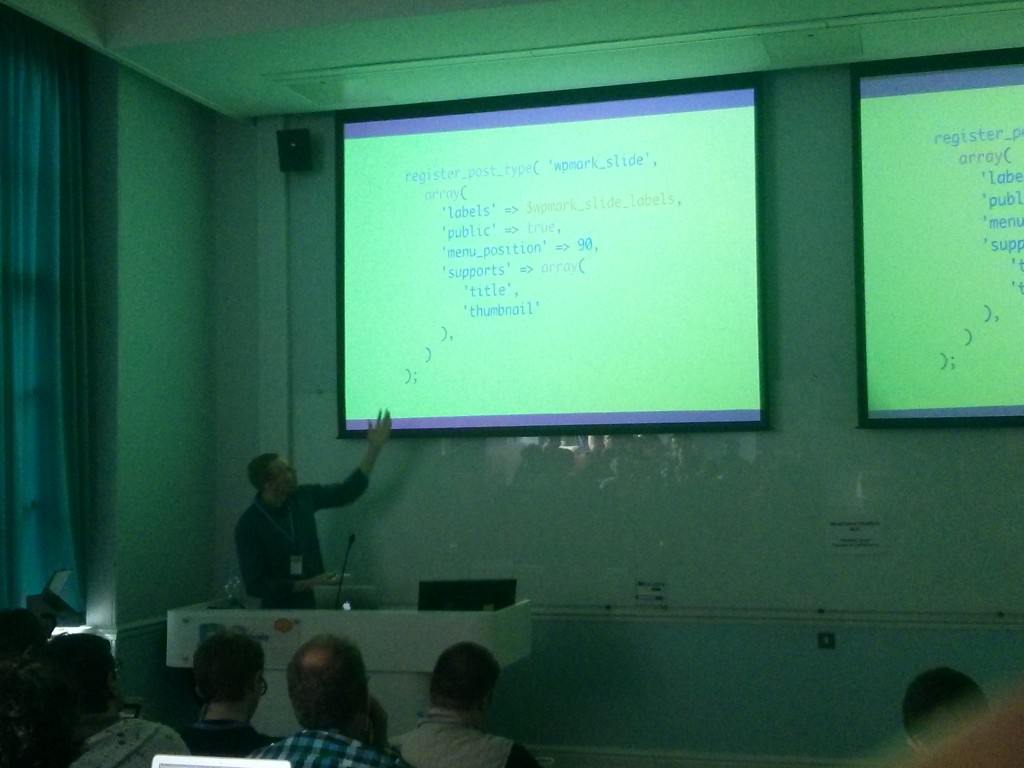
There’s lots of fun functions to do this, with functions along the line of remove_meta_box(); and, unsurprisingly, add_meta_box();. When adding new meta boxes, you need to use the update_post_meta(); tag to update the correct field in the correct post.

All that theory explained, his advice is to use the Custom-Meta-Boxes code available for include at Github, which does all the hard work for you.

He also showed us how to simply use a function to change login logo through hitting up the login_head hook, and adding new items to admin menu pages, even links to non WP pages or resources, using add_menu_page();.

Step 3: Provide Help

Supporting the client from right within the Dashboard “What happens in terms of help after my site goes live?”, “Can I call you if this goes wrong?”.

You could create a top level Menu called “Help”, adding a list of useful articles, or links to informational videos. You can also use the WP-Help plugin…

Improving frontend performance in WordPress

Ian ParrIan Parr on Twitter (@devolute) as a user interface guru, tells us his favourite aspects of WordPress.

Have you read the article “Responsive Web Design” was step one. Ian has sold his sold at the altar of responsive web design, and asks: “Have you embraced RWD methodologies into your heart?” How many of us are building all our sites responsive? A show of hands showed about 50% of us are.

A responsive design isn’t limited to layout changes
Ethan Marcotte

WordPress has responded well to RWD, with Twenty 12, Twenty 14 all fully responsive. Website performance is an essential part of modern UX, which WP is not so hot on. Using Google Page Speed Insights, WordPress installed on Twenty 14, scores 60/100, decreasing year on year.

  • Amazon’s stats show that adding 100ms = -1% sales loss. He also showed us his Wishlist, with 55 gallons of water based lubricant a key item.
  • Etsy stats show +160k to a page = +12% bounce rate on mobile.
  • Google have said that speed is going to be linked to their rankings.

Ian fears that WordPress is falling behind in performance terms. Lots of the work in this is best sorted in the front end. How to solve problems:

Step 1 – Admit you have a problem.

Step 2 – Use the Chrome web developer tools. Some pretty cool tips from Ian on how to use these.

Easy tips:

  • Limit the number of DNS requests. They are expensive – regardless of your bandwidth, they tend to be expensive in terms of time (and battery life on mobile).
  • Limit the size of those requests.
  • G-Zip, files compressed, so less data sent. Can be set up with .htaccess tricks.
  • Encourage caching
  • Minify files for css/jss by removing whitespace.
  • Concatenation can reduce number of requests.
  • Sprites can reduce requests by combining images.
  • Performance led design and client education.

His final point is that there is a lot we can do to improve WordPress performance, but there is still a more that can be done to Core. For example, why can’t wp-enqueue_style() automatically concatenate and minify files?

Hitchikers Guide to Custom Post Types
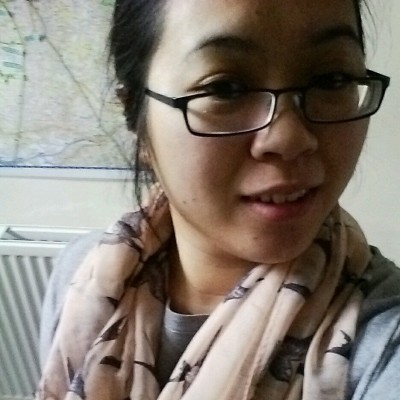
Jenny WongJenny Wong (@miss_jwo) speaking on the fact that Custom Post Types (or CPT) is what turned WordPress from a Blog Platform to a fully fledged Content Management System.

Advantages:

  • Hides content from the default query.
  • Management of content is easier.
  • Improved user interface & usability.
  • Ability to use custom templates.

Disadvantages:

  • Performance issue with querying a large table.
  • If content doesn’t easily fit a post type, could potentially cause problems.

Best place to set up custom post types?

  1. In the functions.php of the theme – theme can be deactivated, post types disappear, or if clients use Christmas theme, CPTs will disappear.
  2. As a plugin – but then users can accidentally deactivate or delete the plugin.
  3. An an mu-plugin – “Must Use” plugins can’t be deleted or deactivated without file access.
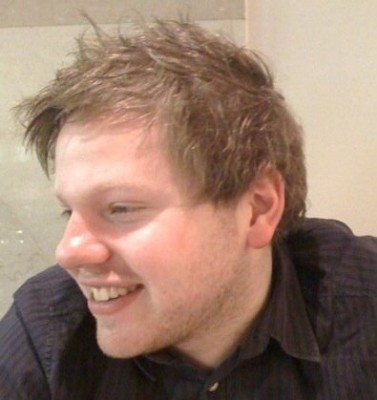
 

Dave Allan
PostScript:
My friend Dave says “Hi!”

How to print your own passport photos

A few years ago, I had to get a photo of Joen for a passport application. At the time, he was 6 months old, and had approximately the same facial proportions as a happy potato.

However, it is part of the requirements, so I took him down to the photo booth, and paid £5 for 4 correctly sized photos. I don’t know if you’ve ever tried to get a baby to pose for a picture, but its not easy.

Expecting a 6 month old to sit upright, unsupported, and look directly at a lens in a photobooth is pretty optimistic, and the photos reflected his inability to perform: they were classed as “not useable” by the passport office.

I decided the best solution was to take, edit and print some photos myself, especially now Neriah needs one too. The Passport Office provide some details of what they want from your photos if you want the exact specs. Below is a brief tutorial of how I managed it:

How to take, edit and print a passport photo

  1. Get a child. Try eBay if you don’t have one already, or use an adult…
  2. Take a photo of them against a light grey or cream background. Try to clean most of the snot and pasta off them before you do this. Ideally they shouldn’t be smiling, neutral expression, no sunglasses, no red eye, facepaint, etc. There is a full list on the gov.uk site if you like that sort of thing…
    Neriah Original Photo
  3. Chuck the photo into Fireworks (or Photoshop, Corel, etc) and cut out all the rough bits, and put a uniform background in.
    Neriah Background Edited Out
  4. Make a new file that measures 35mm by 45mm, with 300dpi. Or just right click and save the image below (it will be an editable PNG for those of you using Fireworks).
    Passport Template
  5. Chuck your lovely perfect image of your beautiful baby onto the template. Change the opacity of the photo down to 50%, so you can see the template through the photo. Resize the photo down so their head is slightly bigger than the box (see below).
    Photo with frame superimposed larger than needed
  6. Now shrink them down so that the chin ends in the middle of the black line, and the crown of the head does also. (Just so you know, this ensures the head is vertically central, and no more than 34mm high, no less than 29mm, as per the offical guidance…)
    Neriah Passport Photo, aligned correctly
  7. Create a new file that measures exactly 6 inches by 4 inches, at 300dpi resolution, and put 8 copies of your beautiful darling onto it in some nice straight lines. (You can also upload your image to OddPrints.com, and they will lay up 8 images for you and give you the final image to download for free.)
    Final layout of passport photos
  8. Pop to your local chemist or supermarket, and print a copy of the photo in 6×4 size, and woila! Perfect passport photos, without spending £5 a pop! Feel free to donate the £5 I just saved you to Names Not Numbers Charity…

Phone Holiday

nexus phone with a red circle and cross through it.I recently, fairly impressively, broke my Nexus 4 smartphone. Not only was the back shattered, but the power button started to play up, and then the phone wouldn’t even turn on. It was knackered.

I dropped it in at my local high street phone shop: you know the type, since they are all exactly the same: staffed entirely by middle eastern guys in their 20s, who have little to no interest in customer service.

You will start talking to the chap behind the counter, then his phone will go off, and he will spend 10 minutes talking intently to someone else in Arabic whilst staring directly into your eyes.

Anyway, I spent around 6 weeks waiting for my phone to be repaired, and it was an interesting experience. Akin to the experience of other broken-phoned-geeks, after several years now of the “always on”, super connected lifestyle, it was refreshing to be free.

It also kind of sucked.

Things I enjoyed:

  • Spending time with my children, rather than in their presence but with my attention on a stupid phone.
  • Having to ask strangers for directions, and attempting to memorise maps.
  • Being forced to let my brain sit, relax and do nothing.
  • Not mindlessly checking the Verge, Engadget, Lifehacker, Reddit and BBC News 27 times an hour.

Things I missed:

  • Rather obviously, being able to call and text people whilst, well, mobile.
  • Having everyone’s numbers – my wife, my brother, my colleague, that guy I met at the football…
  • In discussion with people, being able to instantly look up how much the holiday will cost/what films are on tonight/where we are.
  • Having music always available, and having a library of ebooks to read in my pocket at all times.
  • Being able to track food and exercise with the minimum amount of effort – being healthy is an effort: anything that raises the bar is not welcome.
  • Texting off my computer – MightyText must save me 3-5 minutes almost every day!

So, whilst I’m very happy to have my phone back, and I’m not tempted to go back to a ‘dumb’ phone, I hope that I will move on with a healthier relationship to my technology, and to my family.

Three, One, Twenty Eight & Two Thousand.

Dear God,

This is an amazing week for me:

High five with JoenI can tell this period is going to be a period of introspection for me each year. A time where I weigh up my behaviour, my goals, my achievements and my failures. Is my character where I want it to be? Is it where You want it to be? Is our relationship where it should be?

I’m not going to write everything here Lord: much of that needs to be just between me and You, but I felt led to share a little of this.

There was a promise I made to Katherine, 5 years and 5 months ago, and there were words to that promise.

Do you promise to love, cherish and submit to Katherine?
I do.

Now, at the measured time in our lives, I pray you help our family to fulfil that promise.

Neriah and Joen on a walk

Help us to love one another. Help us to love You, and show love to others outside our family. Help that love wrap round us and define our family – “The Lowrys? Oh, don’t they just love!”

Help us to cherish. As I sat at the dinner table, watching Joen pretending to eat Quorn with a fork, whilst actually surreptitiously feeding Heze and Pudding under the table, as I watched Neriah bite into a brussels sprout and simultaneously look surprised, happy, disgusted and also manage to kick her legs, my heart jumped. I feel like any moment not spent sitting watching them sleep is one wasted, but yet I know I probably spend more time looking at facebook each day than I do into their eyes. Help us to reboot our addictions: let’s be consumed by one another, not by things that fade away.

Help us to submit. When Joen tells me to “shut up”, help him to realise that his 3 minutes in “Time Out” is a time for thought and repentence. Help me to submit to him, to listen to the fact he is telling me to “shut up” because I’m not giving him the attention and validation he craves. Help me to submit to Katherine, when she wants the cup of tea without asking for it. Help her to submit to me, when I need to spend some time on the computer, not dealing with any of our children. Help Neriah, as she starts to discover and demonstrate her free will for the first time, help her to get it more right than I ever have. Help us all fall over one another in selflessness, and give us the strength to know when we need others to serve us.

When we get to this point next year Lord, help us look at that promise, and feel able to say “I did!”.

Love, Your obedient, disobedient, friendly, distant, unworthy, worthy son,
Chris